Exploring XUL
Starting to learn a new platform can be daunting. Especially, when it is as big as the Mozilla platform. The XUL tutorial and reference were exactly what I needed to start learning. However, I quickly found myself wanting to experiment with little XUL snippets just to see what they looked like at runtime. Or, I’d want to try applying some CSS to the elements. I decided to build a XULRunner application that provided a simple way to experiment with XUL. It also gave me a good hands-on project I could use to really start learning the platform.
The result is XUL Explorer. It’s a simple editor that can preview XUL on a tab or in a separate popup window. It has a list of code snippets (small fragments of XUL or JavaScript) that can be quickly inserted into the editor. The XUL can be load and saved to files. The JavaScript Error Console is available to help debug problems. The help menu is hooked to XUL information on MDC. There is even a simple “keyword” help lookup for XUL elements.
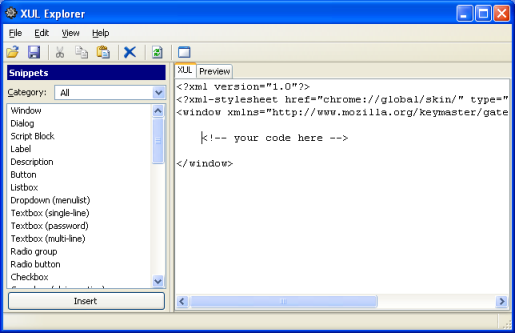
I made an install (Windows only) that includes XULRunner 1.8.0.4, so you have everything you need to start using it. I am working on Mac and Linux installs too, but for now you can download the source. I did not package the source into JAR files. I wanted the code to be easy to access, in case anyone wants to see how it works or show me better ways of doing things.
Install: xulexplorer-setup.exe 5.6MB
Source: xulexplorer-src.zip
NOTE: If you want to use something online, check out the XUL editor on Ted Mielczarek’s website.