Firefox for Mobile: What's New in Mobile Aurora 7?
The latest Firefox Mobile Aurora 7 release has many of the same great features as Firefox Desktop Aurora 7. The new memory optimizations make running Firefox on Android much more pleasant, with fewer browser session restarts.
There are also a few mobile specific changes:
- Text selection in web content: Long tap in a web page and start selection text using the familiar Android-style drag handles. Since Firefox does not use Android widgets, we had to implement this feature ourselves and there is still some additional work to do in order to make it more robust.
- Session history within a tab is saved and restored: If Firefox needs to restore the session, each tab’s back/forward history is restored as well.
- Language selection at initial startup: Choose you language right away, instead of wading through screens in a language you might not be able to read. If the Android OS is set to a language Firefox has bundled, the selection screen is skipped and you are taken to the Firefox Home page. If you really wanted to pick a different language, there is a “Choose Language” button on Firefox Home too, but only on the initial startup.
- Added a ‘Quit’ action to the Android menu: This was a frequent feature request and low risk to the UI so we added it.
Text selection in action: 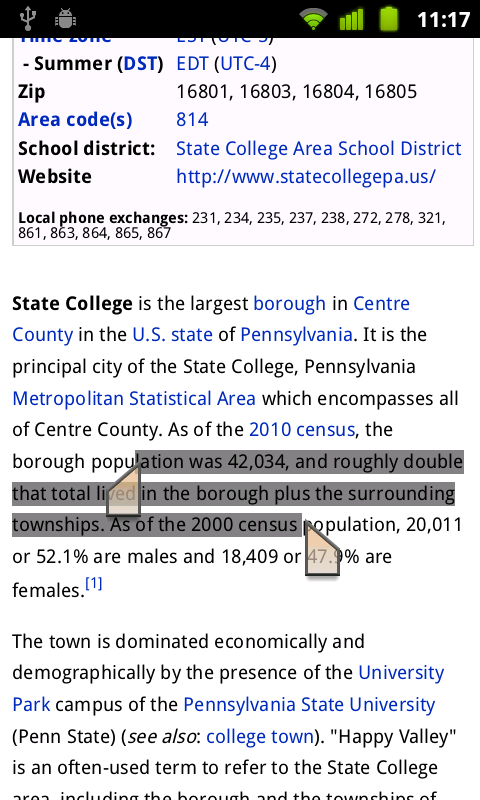
Quit menu: 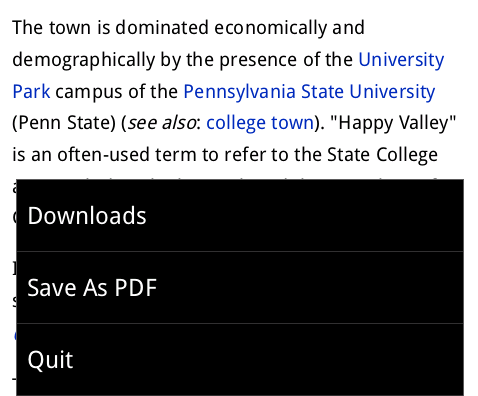
Of course, Mobile Aurora 7 also has the features and optimizations found in the upcoming Firefox for Mobile 6 Beta release. Things like startup and painting speedups, Gingerbread theme, Android menu improvements and more. We’ll post more details about Firefox for Mobile 6 Beta soon.
Mobile Aurora 7 is not in the Android Market. We are considering publishing it along with the Beta and Final releases. Until then, install the latest Mobile Aurora from this download page.